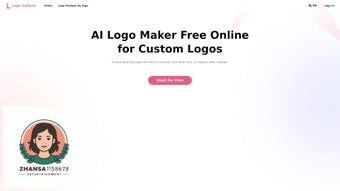

Download Logo Galleria – AI‑powered logo creator, free, fast design tool
Introduction
In today’s hyper‑competitive digital marketplace, a strong visual identity can be the deciding factor between a brand that thrives and one that fades into obscurity. Yet many entrepreneurs, small‑business owners, and content creators struggle to find affordable, high‑quality design solutions that don’t require months of learning or a hefty design‑agency budget. This is where Logo Galleria steps in. Powered by the latest generative‑AI models, the platform promises to democratize professional branding by delivering polished logo concepts in seconds, all through a secure, cloud‑based environment. Whether you’re launching a tech startup, re‑branding an established retail chain, or simply need a memorable YouTube channel icon, Logo Galleria offers a fast, reliable, and free‑first pathway to a visual identity that looks as if a seasoned designer crafted it. In the sections that follow we’ll explore the platform’s core capabilities, walk through the step‑by‑step workflow, examine its strengths and weaknesses, and answer the most common questions users have before they hit the “Download” button.
Overview
Logo Galleria is a cloud‑based, AI‑driven logo design platform that promises to turn anyone—whether a startup founder, a seasoned marketer, or a YouTube content creator—into a professional brand designer in minutes. Built on the latest generative‑AI algorithms, the service analyzes the text you provide, matches it with a curated library of vectors, symbols, and typographic styles, and then produces a handful of polished logo concepts ready for immediate download. What sets Logo Galleria apart from generic “drag‑and‑drop” editors is its ability to suggest design variations based on industry trends, color psychology, and visual hierarchy, all without requiring any prior design knowledge. The interface is intentionally minimalist: a single input field for your brand name, optional tagline, and a dropdown to select your industry category. From there, the AI engine presents a carousel of options that you can tweak—swap icons, adjust font weight, or fine‑tune color palettes—until the logo feels uniquely yours. A major advantage is the guarantee of watermark‑free files; once you finalize a design, you receive high‑resolution PNG, SVG, and PDF assets that you own outright. This eliminates the common licensing headaches associated with free logo generators. While the platform shines for speed and ease‑of‑use, power users may notice the absence of advanced vector editing tools, gradient mesh support, or a truly exhaustive symbol set for niche sectors like biotech or aerospace. Nonetheless, for the majority of small‑to‑medium businesses seeking a cost‑effective, secure, and instantly downloadable branding solution, Logo Galleria delivers exactly what it promises: a professional logo without the typical design bottlenecks.
Key Features
- AI‑generated logo concepts in under 60 seconds.
- Extensive library of vectors and symbols covering technology, finance, education, retail, and more.
- Full customization: change icons, fonts, colors, and layout with a single click.
- Watermark‑free high‑resolution downloads (PNG, SVG, PDF).
- Brand‑centric suggestions based on industry trends and color psychology.
- Responsive web app – works on Windows, macOS, Linux, Android, and iOS browsers.
- One‑click export to social media templates (YouTube, Instagram, LinkedIn).
- Secure cloud storage of your projects for future edits.
- Free tier with unlimited logo generation; premium plan adds brand kits and priority support.
- Step‑by‑step guided workflow that eliminates the learning curve.
Each feature is designed to keep the user journey frictionless. The AI engine, for example, does more than mash together random icons; it evaluates the semantic meaning of your input text, cross‑references it with a taxonomy of design motifs, and then ranks the results by visual impact. The customization panel is built with a live preview, so any tweak you make is instantly reflected in the canvas, letting you experiment without committing. Download options include vector‑ready SVG files, which are essential for print and large‑scale signage, as well as web‑optimized PNGs for immediate use on landing pages. Security is baked in: all assets are stored on encrypted servers, and the platform adheres to GDPR standards, ensuring that your brand data remains private. The free tier is generous enough for early‑stage startups to get a professional identity, while the premium tier unlocks a brand kit feature that bundles color palettes, typography recommendations, and asset management tools—perfect for agencies handling multiple clients. Overall, Logo Galleria balances simplicity with depth, offering a toolset that satisfies both novices and those who need a little more control over their visual identity.
Installation & Usage Instructions
Because Logo Galleria is a web‑based application, there is no traditional “installation” process. Users simply navigate to logogalleria.com on any modern browser (Chrome, Firefox, Safari, Edge) and create an account using an email address or social login. Once signed in, the dashboard presents a “Create New Logo” button that launches the AI wizard.
Step‑by‑step workflow
- Enter your brand details: type your company name, optional tagline, and select the industry that best matches your business.
- Choose a style direction: pick from “Modern,” “Classic,” “Playful,” or “Minimalist” to guide the AI’s aesthetic preferences.
- Review generated concepts: the engine produces 5–7 initial designs; you can scroll through and click “Favorite” on any you like.
- Customize the favorite: use the side panel to swap symbols, adjust font families (Google Fonts library integrated), modify color hex codes, and reposition elements.
- Preview in context: toggle mock‑ups that show the logo on business cards, websites, and merchandise.
- Download: once satisfied, click “Download” to receive a zip file containing PNG, SVG, and PDF versions. Premium users also receive a brand kit folder.
The platform is fully responsive and works across all major operating systems—Windows 10/11, macOS Ventura and later, Linux distributions, as well as mobile browsers on Android 9+ and iOS 13+. No additional plugins or software are required, making it a truly cross‑platform solution.
For users who prefer offline access, Logo Galleria offers a progressive web app (PWA) version. By clicking the “Add to Home Screen” prompt in Chrome or Safari, the app installs a lightweight shortcut that behaves like a native app while still pulling the latest AI models from the cloud. Updates are seamless; the service pushes new symbol packs and AI improvements automatically, ensuring you always have the most current design trends at your fingertips. The onboarding experience is deliberately short—most first‑time users can generate a viable logo within five minutes, freeing up valuable time for strategy, marketing, or product development.
Pros & Cons
Like any software solution, Logo Galleria has clear strengths and a few areas where it could evolve. Below we break down the most relevant points for both casual users and more demanding designers.
Pros
- Lightning‑fast logo generation—most designs ready in under a minute.
- No design experience required; the AI guides you through every step.
- High‑resolution, watermark‑free files included in the free tier.
- Broad symbol library that covers the majority of commercial industries.
- Cross‑platform accessibility via browser or PWA.
- Secure cloud storage and GDPR compliance.
- Affordable premium plan with brand‑kit export.
Cons
- Lacks advanced vector editing tools found in professional design suites.
- Some niche industry symbols (e.g., biotech, aerospace) are missing.
- Customization options, while robust, are limited to preset fonts and icons.
- Free tier includes only basic support; premium support is required for faster response.
- Dependence on an internet connection; offline work is limited to PWA caching.
FAQ
Is Logo Galleria really free to use?
Yes, the platform offers a free tier that lets you generate unlimited logos and download high‑resolution, watermark‑free files. A premium subscription unlocks additional features such as brand kits, priority support, and exclusive symbol packs.
Can I edit my logo after I’ve downloaded it?
Absolutely. All downloads include SVG files, which are fully editable in vector editors like Adobe Illustrator, Inkscape, or Figma. You can adjust colors, shapes, or text at any time.
Do I need to install any software on my computer?
No installation is required. Logo Galleria runs entirely in the browser, and you can also add it as a Progressive Web App for a native‑like experience.
Is my brand data secure?
Yes. All user data is stored on encrypted servers, and the service complies with GDPR and other international privacy standards. Your designs are yours alone, and you retain full ownership.
Can I use the logos for commercial purposes?
Definitely. Once you download a logo, you receive a commercial usage license that allows you to use the design on websites, merchandise, advertising, and any other business material without additional fees.
How often are new design assets added?
The development team releases updated symbol packs and style templates every quarter, ensuring that the library stays fresh and aligned with emerging design trends.
Logo Galleria delivers a compelling blend of speed, simplicity, and quality that makes it an ideal choice for entrepreneurs and content creators who need a professional logo without hiring a designer. While power users may crave deeper vector controls, the platform’s AI core and intuitive UI more than compensate for those gaps, especially given the free tier’s generous offering.
Pros: Fast generation, watermark‑free assets, cross‑platform access.
Cons: Limited advanced editing, niche symbol gaps.
Conclusion & Call to Action
In a crowded market of logo generators, Logo Galleria stands out by marrying artificial intelligence with a clean, user‑first interface. It removes the traditional barriers of cost, skill, and time, letting you focus on what matters most—building your brand narrative. Whether you’re launching a tech startup, rebranding an established retail chain, or need a punchy YouTube channel icon, the tool offers a secure, fast, and free pathway to a polished visual identity. For those who require deeper brand assets, the affordable premium plan adds brand‑kit exports and priority support, ensuring you never outgrow the platform as your business scales. The seamless cloud‑based workflow, GDPR‑compliant security, and cross‑platform accessibility make it a future‑proof choice for any modern entrepreneur. Ready to create a logo that truly reflects your vision? Download Logo Galleria now and watch your brand come to life in minutes.



.png)



